The strategy is simple: publish a product video with an eligible website link, learn from real orders, then put ad spend behind the creative that works. TikTok One provides creator collaboration and anchors; link availability depends on the market and account. Organic sales are useful evidence for your decision, not a universal requirement to run TikTok ads.
01 / The link is a route. The video makes the sale.
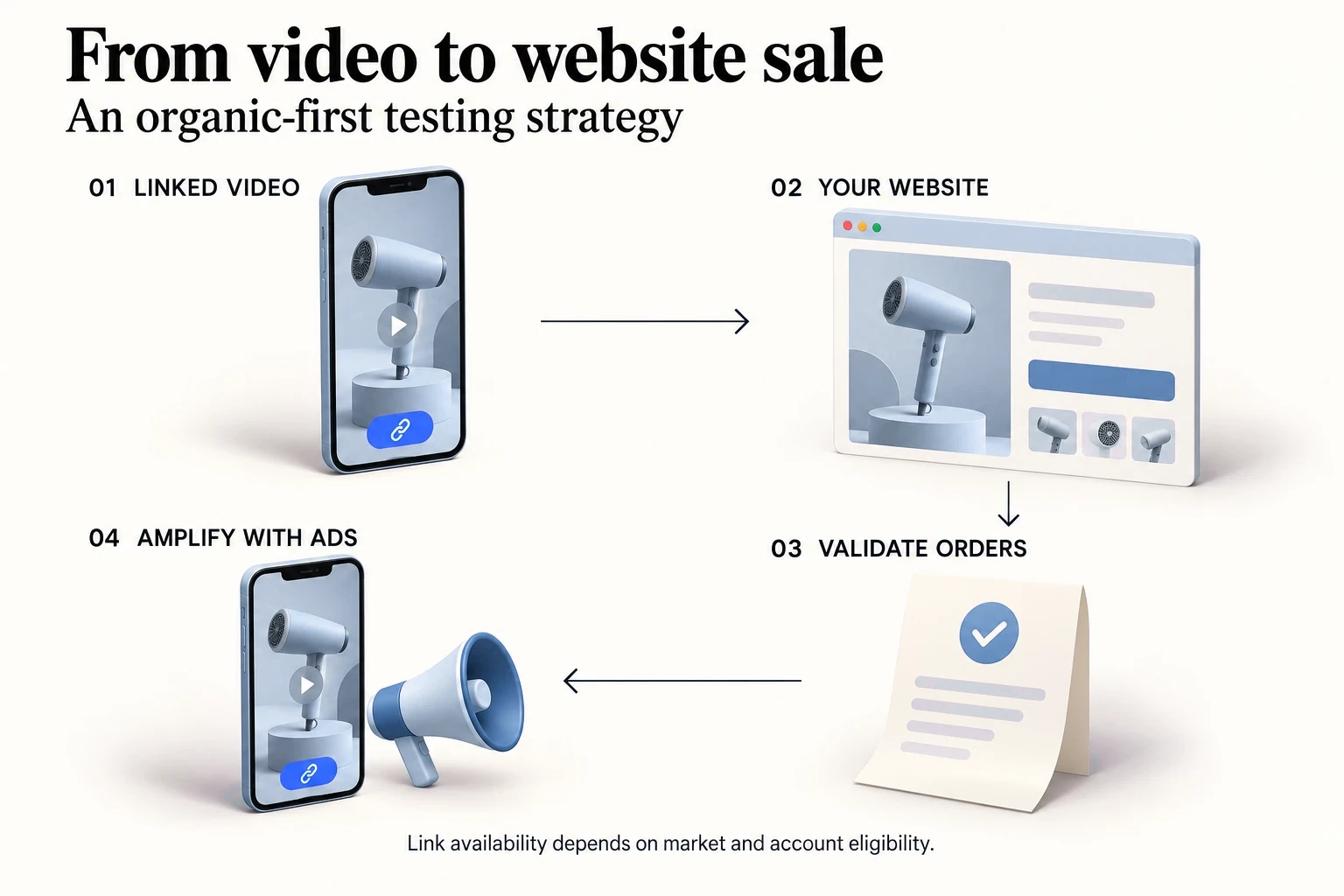
A viewer has to understand the product, believe the demonstration, and want the offer enough to leave the feed. Adding a link solves only the last click. A script with relevant sales evidence gives you a more informed starting point for the hard part: creating purchase intent.
Our recommended loop is reference → remake → publish with a supported link → review website orders → test paid amplification. Compare the product, price, audience and market before treating another video’s sales as relevant to your own.
02 / What “TTO” and “blue cart” actually refer to
TTO is commonly used as shorthand for TikTok One. “Blue cart” is a trade term, not one universal eligibility programme. Identify the exact link product in the account before following a tutorial.
Scroll sideways to read the full table.
| Feature | Where shoppers go | What to check |
|---|---|---|
| TikTok One Webpage anchor | A webpage or a template landing page leading to a website. | Anchor subtype, selected country, project and moderation approval. |
| Destination Links | An external website from an organic video or comments. | Verified Business Account, published regions and active purchase tracking. |
| TikTok Shop anchor | A product detail page in TikTok Shop. | Local Shop creator or seller permissions. This is the Shop route. |
03 / US and Europe: check the route before the follower count
Joining TikTok One as a creator requires an available country or region, age 18+, and compliance with its content policies. The current help page separately lists 1,000+ followers and project-specific conditions for participating in projects. That does not automatically unlock a particular website anchor.
Scroll sideways to read the full table.
| Link / market | Published eligibility | Your next step |
|---|---|---|
| Webpage anchor · all target markets | Created for one selected country. The Web destination link subtype is limited to countries where TikTok Shop is not live. | For US/UK/EU commerce, check the available E-commerce template or other supported route; do not assume this subtype is available. |
| Destination Links · Europe | The ecommerce list names Austria, Belgium, Czech Republic, Denmark, Finland, Germany, Greece, Hungary, Netherlands, Norway, Poland, Portugal, Romania, Sweden and Switzerland. | Use a Verified Business Account with an active website Pixel or Events API and a complete payment event. Check account eligibility. |
| Destination Links · US / UK / FR / ES / IT / IE | These markets are absent from the published ecommerce list reviewed on this page. Select-customer availability can differ. | Confirm access with your TikTok contact. If unavailable, use a supported website ad route rather than promising an organic link. |
- The Destination Links page also states that non-EU users cannot target EU markets, and non-US users cannot target the US through this feature. Apply this restriction to Destination Links, not to every TikTok advertising product.
04 / Build the linked-video journey
- Prepare a mobile product page with the same item, offer, language and delivery promise as the video. Confirm that checkout works for the target country.
- In TikTok One, go to Tools → Assets → Anchor → Create anchor → Webpage anchor. Select the available subtype and country, add the destination and CTA, preview, and submit for review.
- For a supported E-commerce template, add the website destination and landing-page content. Create separate anchors for separate countries. Use the approved anchor in the creator project.
- Agree the creator deliverable, link, publishing plan and advertising authorisation. Creators can join through an invitation, an open application or an invite link.
- Connect measurement before publishing. TikTok One Pixel tracking needs Business Center linkage and Pixel asset access. Its Webpage anchor guide currently says third-party tracking links and UTM tracking are not supported.
05 / What counts as useful natural-sales evidence?
Do not treat one lucky order as a forecast. Review a consistent time window, the number of product visits, completed orders, refunds and contribution after product, fulfilment and creator costs. The number of orders needed for confidence depends on traffic and margin; there is no universal “one sale unlocks ads” rule.
Scroll sideways to read the full table.
| What you see | What to investigate |
|---|---|
| Views, few link clicks | The hook may entertain without explaining a product benefit. Make the use case, proof and next action clearer. |
| Clicks, few purchases | Check page speed, offer, shipping, trust and checkout. Confirm tracking before blaming the creative. |
| Purchases with workable economics | Test a controlled advertising budget and compare paid results with website orders and margin. |
References[8]
06 / Amplify with website conversion ads
- In Ads Manager, choose Sales → Website, then the campaign type offered to your account. Select the correct website data connection and purchase event.
- Use your own post or an authorised creator post when choosing Spark Ads. Permission to collaborate is not a substitute for ad authorisation.
- TikTok recommends Pixel plus Events API with event deduplication. Check order value, currency and purchase events against real store orders before judging ROAS.
07 / Start with a sales idea worth testing
RemakeAds brings sales-led video discovery and AI video production together. Look for a reference with relevant product, market and sales context. Remake the idea for your own product, inspect the finished video in My remakes, then download it for publishing.
The useful transfer is the selling logic: how the hook frames a need, how the product is shown, and how the video answers a buying objection. Another video’s sales are a research signal; your own orders validate the new execution.
Choose a video in Discover, optionally select your product, and click Remake.
Questions, answered.
Does TikTok One automatically give me a website link?
No. Joining, participating in a project and using a specific anchor are separate permissions. Check the link subtype, project, target country and account access.
Must a video make organic sales before I can advertise?
No universal requirement says that. Organic-first validation is the strategy taught here because it gives you useful creative evidence before adding media spend. Website ads have their own setup and eligibility requirements.
Can I use the yellow cart to send buyers to my own website?
The TikTok Shop product link leads to TikTok Shop. For your own website, use an eligible website link or a website advertising destination. Keep the two checkout routes clear.
Sources
The official sources below support eligibility, product features and publishing rules. The organic-first testing method and creative planning examples are RemakeAds editorial recommendations.
- TikTok One — About anchorsOfficial · Anchor types and destinations · January 2026
- How to create a TikTok One Webpage anchorOfficial · Country, template, setup and measurement rules · January 2026
- TikTok — About Destination LinksOfficial · Verified Business Accounts and published country list · May 2026
- How creators can sign up for TikTok OneOfficial · Joining TikTok One versus qualifying for a project · July 2026
- How creators can find and join TikTok One projectsOfficial · Invitation, application and project authorisation · July 2026
- TikTok — About Spark AdsOfficial · Advertising with your own or authorised organic posts · June 2026
- How to set up a Website campaignOfficial · Sales → Website campaign setup · April 2025
- TikTok — About Events APIOfficial · Pixel, Events API and event deduplication · April 2025